Understanding the conversion from terabytes to gigabytes helps you manage computer storage, buy hard drives, choose cloud storage plans, or check digital device capacity. A terabyte (TB) and a gigabyte (GB) are common units for measuring digital data, including documents, photos, videos, applications, and other files.
Although both units measure storage capacity, a terabyte represents much more data than a gigabyte. Knowing how to convert terabytes to gigabytes helps you compare storage options, estimate available space, and make informed decisions when buying digital storage devices.
In this guide, we will explain how many gigabytes are in a terabyte, explore the conversion formula, provide practical examples, and discuss the difference between decimal and binary storage measurements.
How Many Gigabytes Are in a Terabyte?
Under the decimal storage system commonly used by hard drive manufacturers and storage providers, a terabyte equals 1,000 gigabytes.
However, computers sometimes use binary measurements to calculate storage. Under the binary system, one tebibyte (TiB) equals 1,024 gibibytes (GiB). These units differ from the decimal terabyte and gigabyte, although people sometimes use TB and GB informally to refer to both systems.
Here is a quick comparison:
- 1 terabyte (TB) = 1,000 gigabytes (GB) in the decimal system.
- 2 terabytes (TB) = 2,000 gigabytes (GB) in the decimal system.
- 5 terabytes (TB) = 5,000 gigabytes (GB) in the decimal system.
- 10 terabytes (TB) = 10,000 gigabytes (GB) in the decimal system.
These conversions make it easier to understand storage device capacity and compare different storage plans.
Terabyte to Gigabyte Conversion Formula
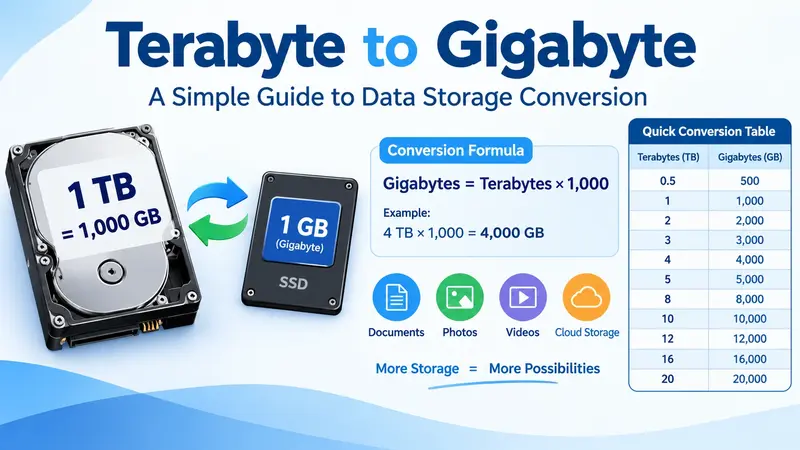
Converting terabytes to gigabytes is straightforward. In the decimal system, you simply multiply the number of terabytes by 1,000.
Formula:
Gigabytes = Terabytes × 1,000
For example, if you have a storage device with 4 TB of capacity, multiply 4 by 1,000.
4 × 1,000 = 4,000 GB
Therefore, a 4 TB storage device has a marketed capacity of 4,000 GB under the decimal system.
This formula helps you convert storage measurements quickly without a calculator or specialized software.
Terabytes to Gigabytes Conversion Table
The following table shows common terabyte-to-gigabyte conversions using the decimal system.
| Terabytes (TB) | Gigabytes (GB) |
|---|---|
| 0.5 TB | 500 GB |
| 1 TB | 1,000 GB |
| 2 TB | 2,000 GB |
| 3 TB | 3,000 GB |
| 4 TB | 4,000 GB |
| 5 TB | 5,000 GB |
| 8 TB | 8,000 GB |
| 10 TB | 10,000 GB |
| 12 TB | 12,000 GB |
| 16 TB | 16,000 GB |
| 20 TB | 20,000 GB |
This table is useful when comparing external hard drives, SSDs, network storage devices, and cloud storage subscriptions.
Understanding the Difference Between Terabytes and Gigabytes
Terabytes and gigabytes are both units of digital information, but they represent different storage capacities.
People commonly use gigabytes to describe the size of mobile apps, photos, short videos, and smaller files. A terabyte is better for larger storage capacities, such as computer drives, video libraries, backups, and extensive collections of digital files.
For example, a smartphone might offer 128 GB or 256 GB of internal storage, while a desktop computer or external hard drive might provide 1 TB, 2 TB, or more.
Understanding this difference helps you choose the right storage capacity for your needs.
Why Do Computers Sometimes Show Different Storage Values?
You might purchase a 1 TB hard drive and notice that your computer reports a capacity of approximately 931 GiB or a similar figure expressed using binary-based calculations. This does not necessarily mean the drive is defective or missing storage.
Storage manufacturers generally use the decimal system, where 1 TB equals 1,000,000,000,000 bytes. Some operating systems and storage tools use binary-based calculations, where a tebibyte equals 1,099,511,627,776 bytes.
As a result, the same physical storage device can show different numbers depending on the measurement system and how the operating system labels them.
Formatting, system partitions, and reserved space can also affect the capacity available for your files.
Practical Uses of Terabyte to Gigabyte Conversion
Converting terabytes to gigabytes is useful in several everyday situations.
1. Choosing a Hard Drive
When purchasing a hard drive, converting TB into GB helps you compare storage capacities. For example, a 2 TB drive provides a marketed decimal capacity of 2,000 GB, making it suitable for large collections of photos, videos, and documents.
2. Managing Cloud Storage
Cloud storage services often advertise their plans in gigabytes or terabytes. Understanding the conversion helps you estimate whether a plan can accommodate your files, backups, and shared documents.
3. Storing Videos and Photos
High-resolution photos and videos can take up a lot of storage space. Converting terabytes to gigabytes helps you estimate how much space is available for a growing media library.
4. Planning Computer Backups
Businesses and individuals often use large storage devices to back up important information. Knowing the relationship between TB and GB makes it easier to estimate backup requirements and compare storage options.
5. Managing Large Data Projects
Professionals working with databases, video editing, scientific data, or extensive digital archives may need to convert storage units regularly. A simple conversion formula makes these calculations faster and easier.
Frequently Asked Questions
Is 1 TB equal to 1,000 GB or 1,024 GB?
In the decimal system, 1 TB equals 1,000 GB. In the binary system, 1 TiB equals 1,024 GiB. This distinction matters when comparing advertised storage capacity with values reported by the computer.
How many gigabytes are in 2 TB?
Two terabytes equal 2,000 gigabytes under the decimal system.
How many gigabytes are in 5 TB?
Five terabytes equal 5,000 gigabytes under the decimal system.
How do I convert TB to GB quickly?
Multiply the number of terabytes by 1,000 to convert to decimal gigabytes. For example, 6 TB × 1,000 = 6,000 GB.
Why does my 1 TB drive show less storage on my computer?
Your operating system may calculate or label capacity differently because of decimal and binary measurement systems. Formatting and reserved partitions can also reduce the space available for storing personal files.
Final Thoughts
Converting terabytes to gigabytes is a simple but valuable skill for anyone who works with digital storage. Under the decimal system, 1 terabyte equals 1,000 gigabytes, so you can convert TB to GB by multiplying the terabyte value by 1,000. For more about Terabyte.
Whether you are buying a hard drive, comparing cloud storage plans, managing backups, or organizing large files, understanding this conversion helps you make better storage decisions. Remember that decimal and binary measurements differ, so the capacity your computer displays may not match the advertised number exactly.
With the conversion formula and a reference table handy, you can quickly calculate storage capacity and choose the right solution for your digital needs.
